← Selected work

Admin Intelligence · Contextual AI assistance

From complex admin work to guided action.

A contextual Virtual Admin for a B2B contact-center platform, connecting search, knowledge and operational actions without taking administrators away from their workspace.

Admin IntelligenceProduct system · Overview
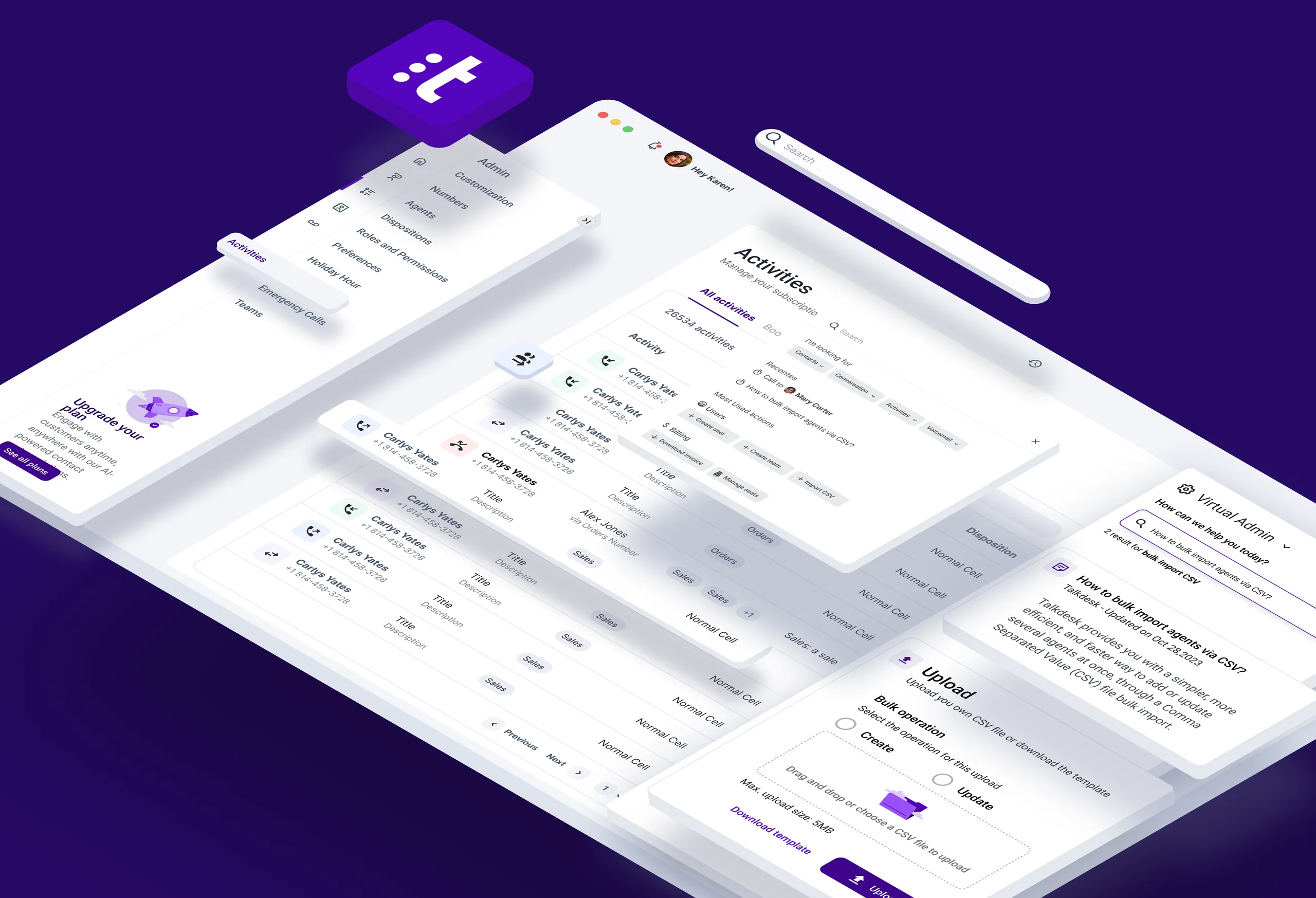
Isometric overview of the contact-center admin interface, contextual search and bulk operations
RoleProduct Designer
ScopeProduct strategy, UX architecture, UI & flows
ProductB2B contact-center back office
FocusAdmin efficiency & self-service

A powerful platform with a discoverability gap.

Administrators managed users, teams, permissions, billing and operational settings in one back office. The opportunity was to make that depth easier to navigate without flattening the product or removing expert control.

Context
The productA B2B contact-center back office where administrators manage users, teams, permissions, billing and other operational settings.
Opportunity
The knowledge gapMany important tasks were infrequent, deeply nested or dependent on product knowledge that administrators did not always have.
Solution
The design betBring guidance into the workspace through a contextual Virtual Admin that connects intent, knowledge and action.

How might we help administrators find and complete complex tasks without leaving their workflow or depending on support?

The experience needed to reduce friction while keeping administrators informed and in control of consequential actions.

  1. 01

    Navigation depth

    Administrators had to remember where tasks lived across a dense settings architecture.

  2. 02

    Knowledge dependency

    Unfamiliar actions often required documentation, support or help from a more experienced colleague.

  3. 03

    Repetitive operations

    High-volume tasks such as creating or updating users became slow when completed one record at a time.

  4. 04

    Risk without guidance

    Bulk changes needed clear templates, validation and recovery states to feel safe.

Assistance that accelerates work without taking it over.

The product goals balanced speed with agency. Intelligence should make the next action easier to find and safer to complete, while the administrator remains the decision-maker.

  1. 01

    Shorten the path

    Let administrators express what they need instead of translating intent into navigation.

  2. 02

    Keep context

    Surface answers and actions beside the current workspace without interrupting the task.

  3. 03

    Scale routine work

    Support safe bulk operations for repetitive, high-volume administration.

  4. 04

    Build trust

    Make the system transparent, reversible and explicit about what will happen next.

KPIs to validate after release
Task successTime on taskSearch-to-actionBulk import completionError recoverySupport requests

Three lenses shaped the assistant.

I mapped administrator intent, operational value and platform constraints before defining where intelligence could remove friction without creating new uncertainty.

01

Admin needs

  • Find unfamiliar tasks without knowing the menu.
  • Resume recent work quickly.
  • Understand an action before starting it.
  • Complete bulk changes with confidence.
  • Stay in control of every system action.
02

Business needs

  • Reduce support dependency.
  • Improve adoption of admin capabilities.
  • Shorten operational task time.
  • Make large-account maintenance scalable.
  • Increase successful self-service.
03

Product constraints

  • Fit beside the existing admin workspace.
  • Respect roles and permissions.
  • Avoid hiding critical consequences.
  • Support CSV validation and error recovery.
  • Keep assistance useful without becoming intrusive.

From searching the product to expressing intent.

Before
Define task
Search menus
Read documentation
Configure
Verify
After
Open Virtual Admin
Describe intent
Review guidance
Act in context
Confirm

A continuous path from intent to action.

Each capability had a specific role. Search translated intent, contextual shortcuts reduced effort, and guarded workflows made complex operations easier to complete safely.

  1. 01

    Intent search

    Translate a natural-language need into relevant guidance, records or actions.

  2. 02

    Contextual shortcuts

    Offer the most useful actions for the current admin area and user role.

  3. 03

    Recents

    Help administrators return to frequent or unfinished tasks without searching again.

  4. 04

    Embedded guidance

    Explain what an operation does and keep help visible beside the work.

  5. 05

    Safe bulk actions

    Combine templates, validation, explicit operation choice and upload feedback.

One assistant. Two levels of support.

The Virtual Admin first helps people discover relevant actions, then expands into a guided workspace when a task needs structure, input and validation.

07A · Contextual command center

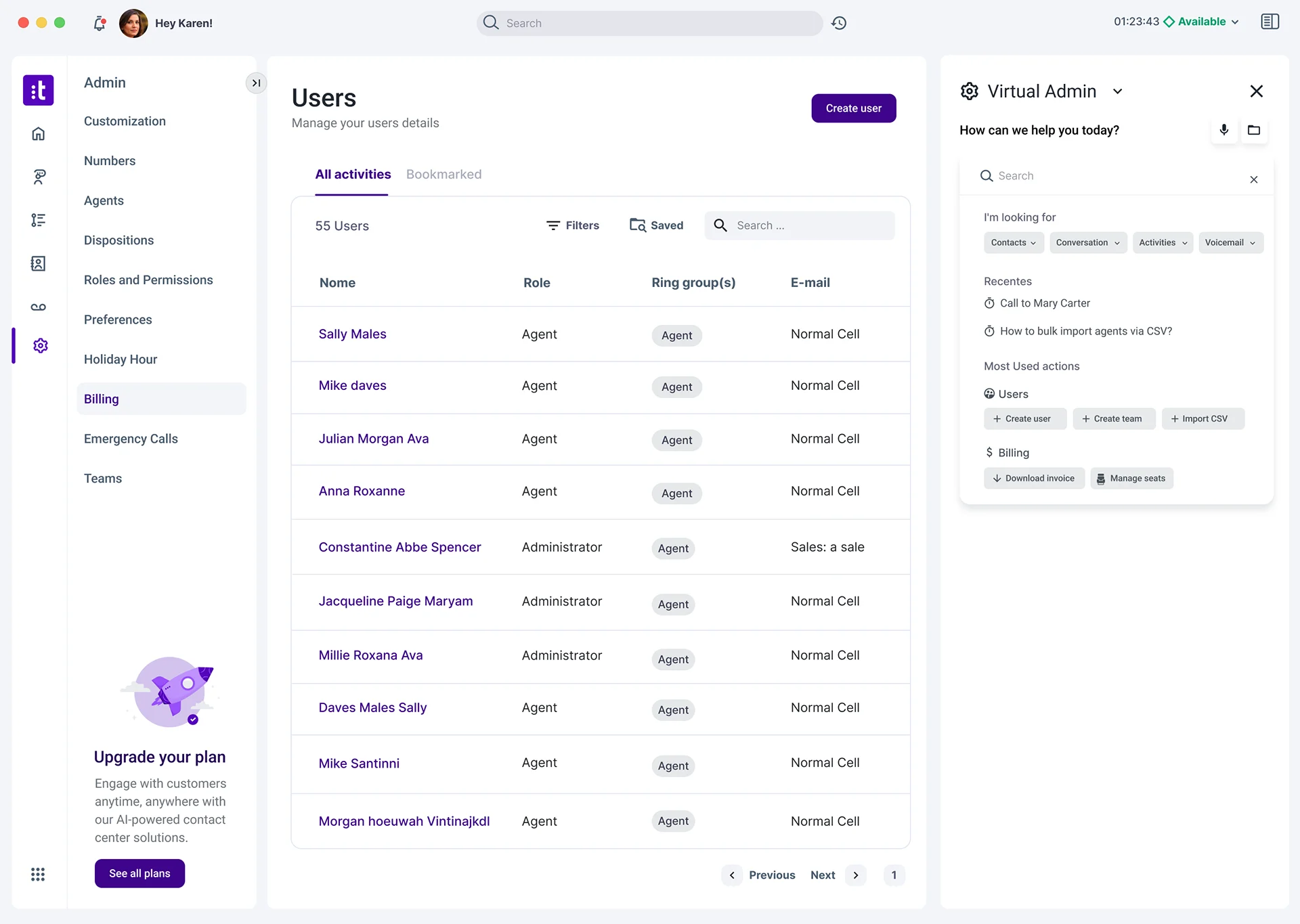
Useful actions beside the work.

Search, recents and frequently used shortcuts make the assistant valuable before a question becomes a support request.

Virtual AdminSearch & shortcuts
Users administration screen with a Virtual Admin panel showing search, recent tasks and contextual shortcuts

Intent search · Recents · Contextual shortcuts · Persistent workspace

07B · Guided bulk operation

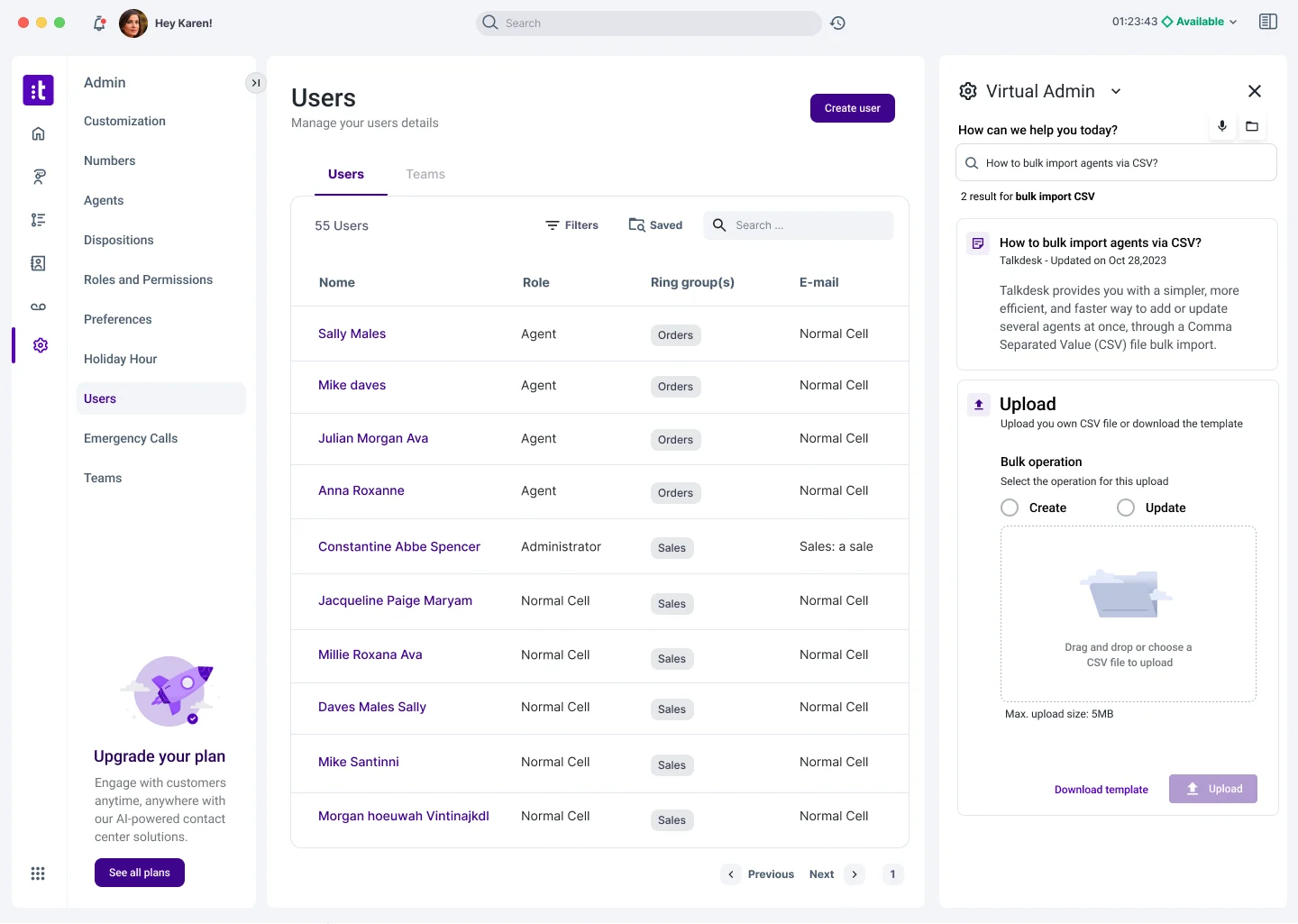
Complex work made explicit.

The CSV flow combines guidance, create-or-update intent, templates and upload states in one structured operation.

Bulk importGuided CSV workflow
Virtual Admin guiding a bulk user import with search results, operation choice, CSV template and upload area

Clear intent · Template support · Upload validation · Controlled execution

These are proposed targets for post-release validation. They are not measured results.

Efficiency−35%Time on admin tasks
Self-service+25%Successful task completion
Support−25%How-to requests
ScaleFaster bulk operations

Continue through the selected work.

Next caseMTC Tours →