07A · Mission Guide
A focused first-run experience.
Sequenced steps, visible states and a prominent next mission make onboarding feel clear and finite.
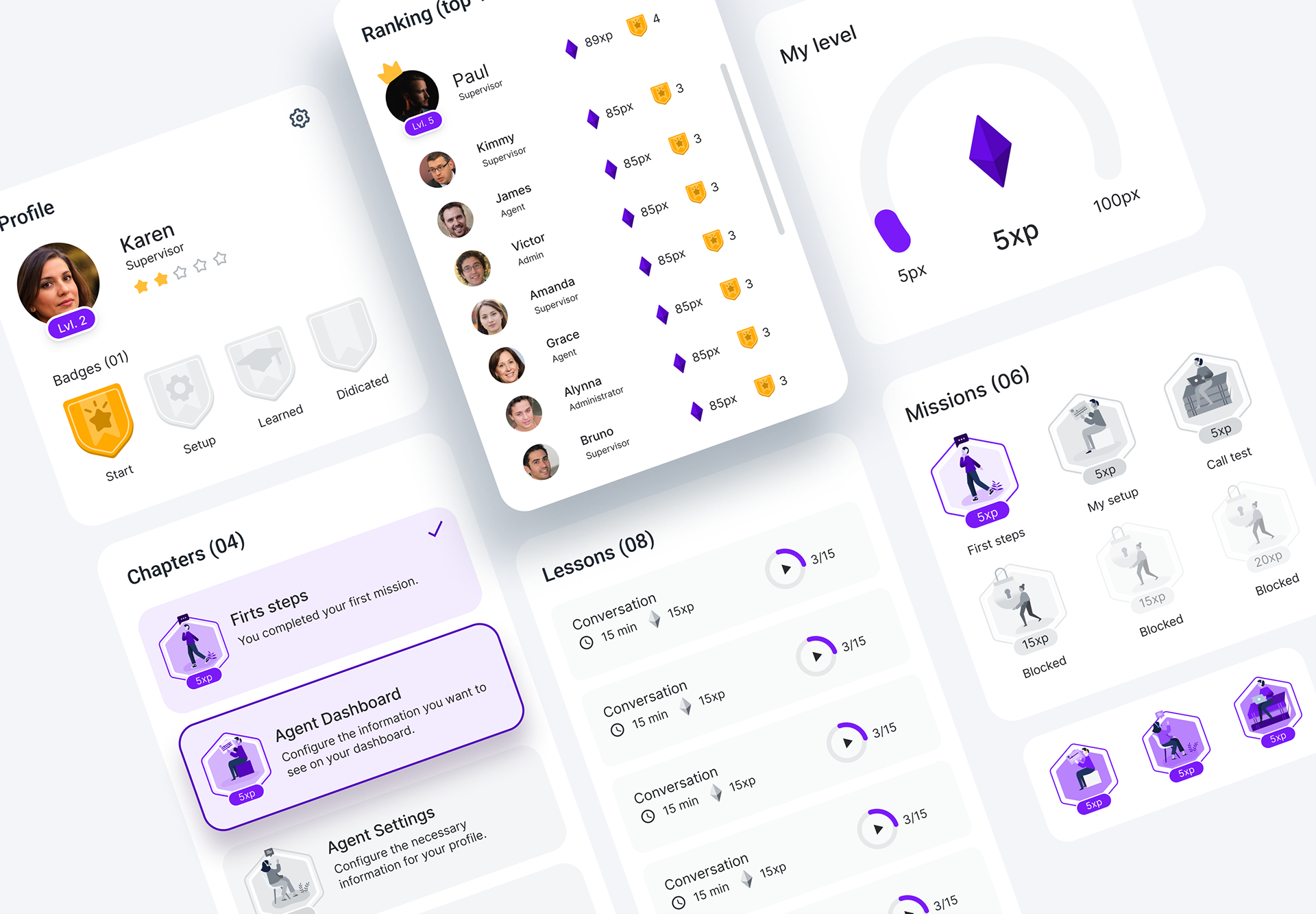
Step-based structure · Mission states · XP feedback · Clear next action

Mission Center · Gamified onboarding
Gamified onboarding for a B2B SaaS back office, helping agents become productive faster through guided missions, meaningful rewards and visible progress.
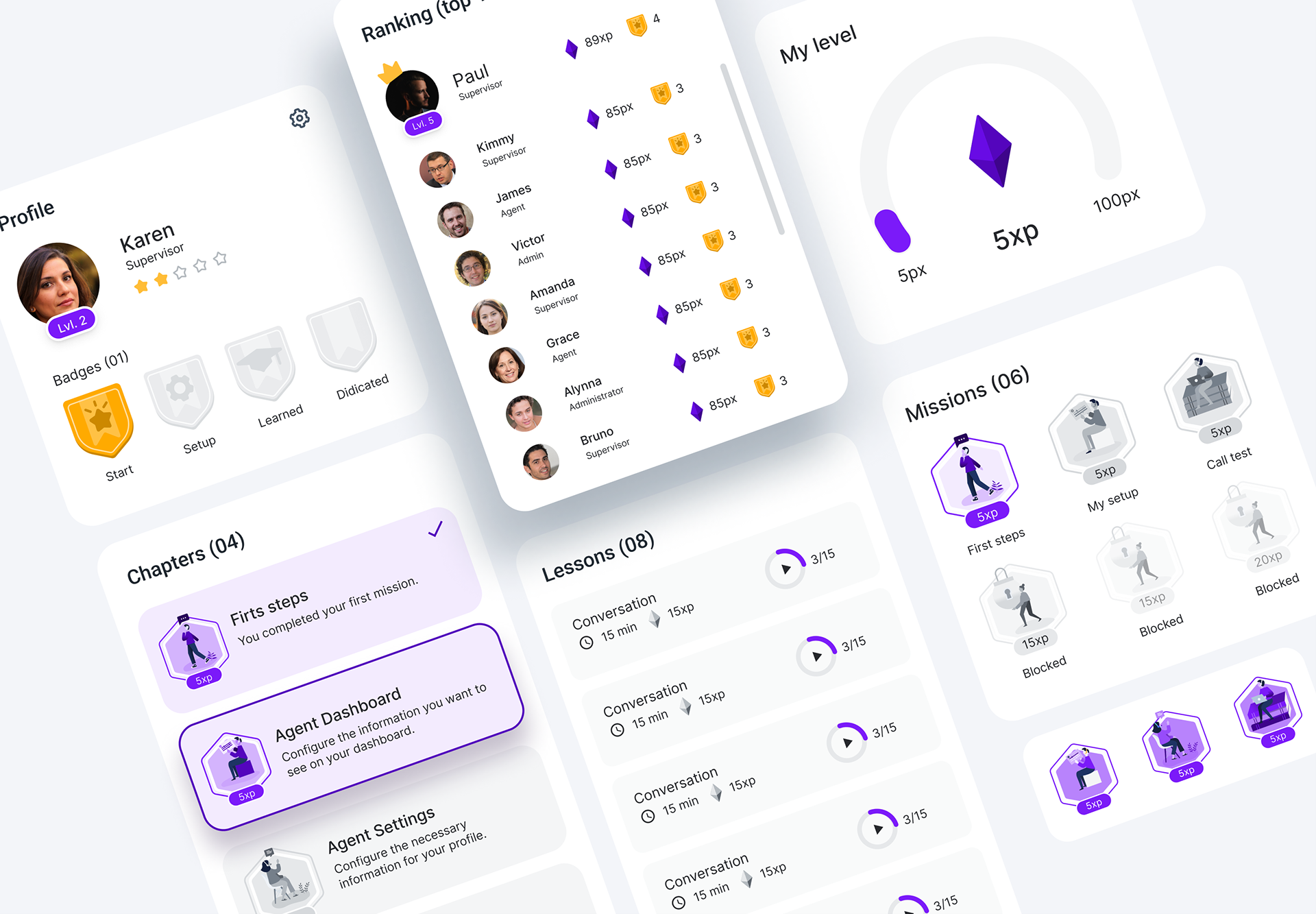
Context & opportunity
Agents used the back office to configure their workspace, learn key routines and track performance. The opportunity was to connect those scattered activities into one visible path.
Problem statement
How might we help agents complete the right setup and learning steps without feeling lost, blocked or dependent on managers?
New agents needed a fast path from “new user” to “ready to work”, while teams needed a scalable way to guide progress.
Configuration, learning and profile setup lived in different parts of the back office.
Agents could complete steps but still feel unsure about what was required.
There was no single surface showing progress, rewards or next actions.
Teams needed a scalable way to encourage onboarding completion.
Goals & success
The product goals anchored the experience in practical outcomes, with gamification supporting clarity and completion rather than adding distraction.
Break onboarding into small, sequenced missions with one clear next action.
Use progress, XP and badges to give visible momentum and recognition.
Connect each mission to a practical outcome agents need in their daily work.
Allow admins to guide agents without manual follow-up for every setup step.
Discovery inputs
Before defining the experience, I mapped what agents needed, what the business needed to improve and what the existing product could support.
Journey shift
Gamification model
Every mechanic had a functional role in onboarding. Rewards made progress visible, while sequencing and locked states kept the next action clear.
Turn setup into small, concrete actions with a clear objective.
Give immediate feedback and a lightweight sense of progress.
Recognise milestones and reinforce completed learning themes.
Create social proof and optional motivation without blocking task completion.
Show what exists but is not yet available to prevent confusion.
Final design
The Mission Guide focuses the first run, while the Mission Center gives agents one place to resume missions, learning and early progress.
Sequenced steps, visible states and a prominent next mission make onboarding feel clear and finite.
Step-based structure · Mission states · XP feedback · Clear next action
Missions, lessons, ranking and badges form one engagement loop agents can return to after the first run.
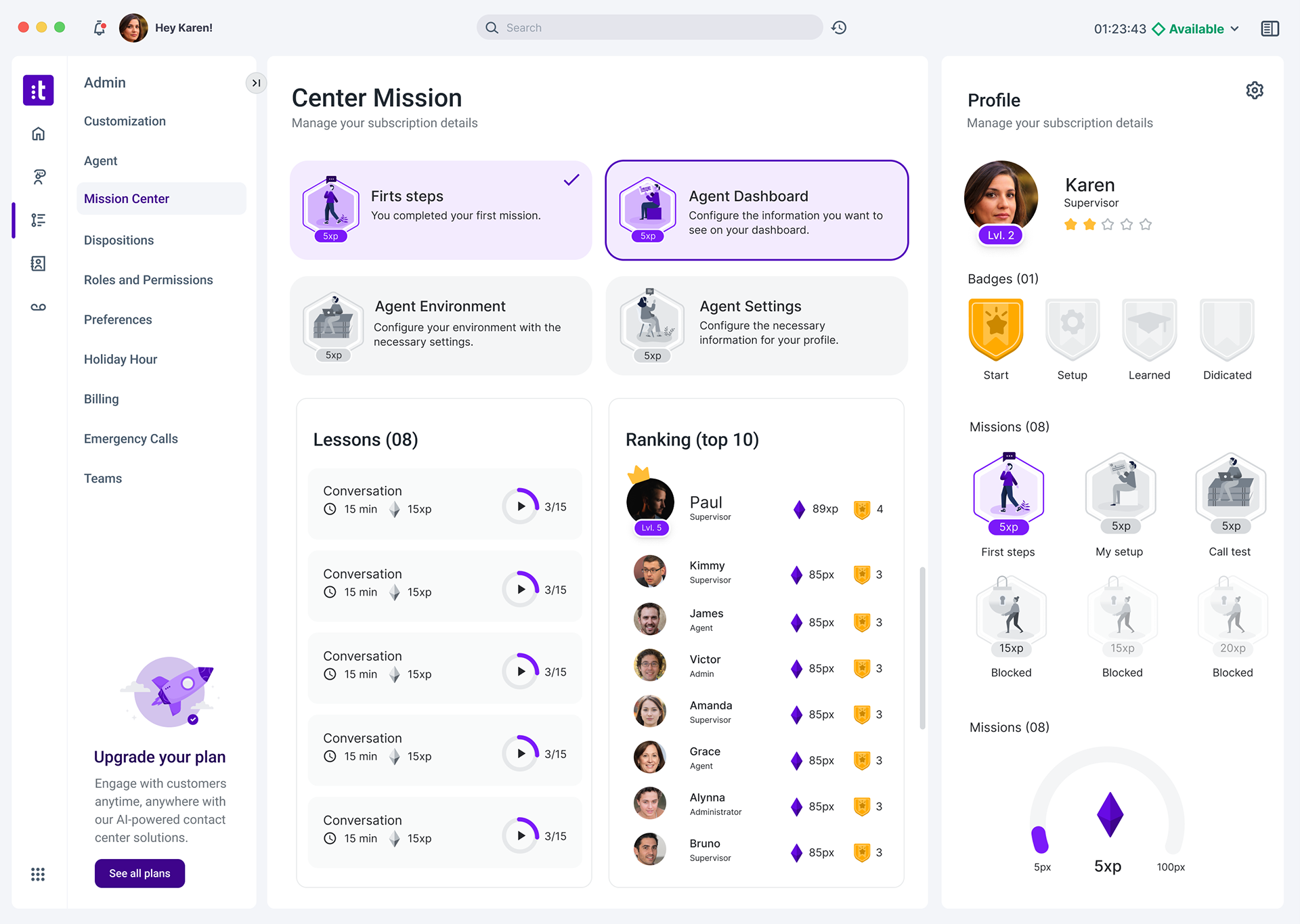
Resume progress · Learning loop · Ranking · Personal progression
Business impact KPIs
These are proposed targets for post-release validation. They are not measured results.